
Use the Process Map Play-through Generator when a static BPMN diagram is difficult to explain in one view.
The play-through turns a BPMN file into a guided walkthrough, so stakeholders can step through the process path by path.
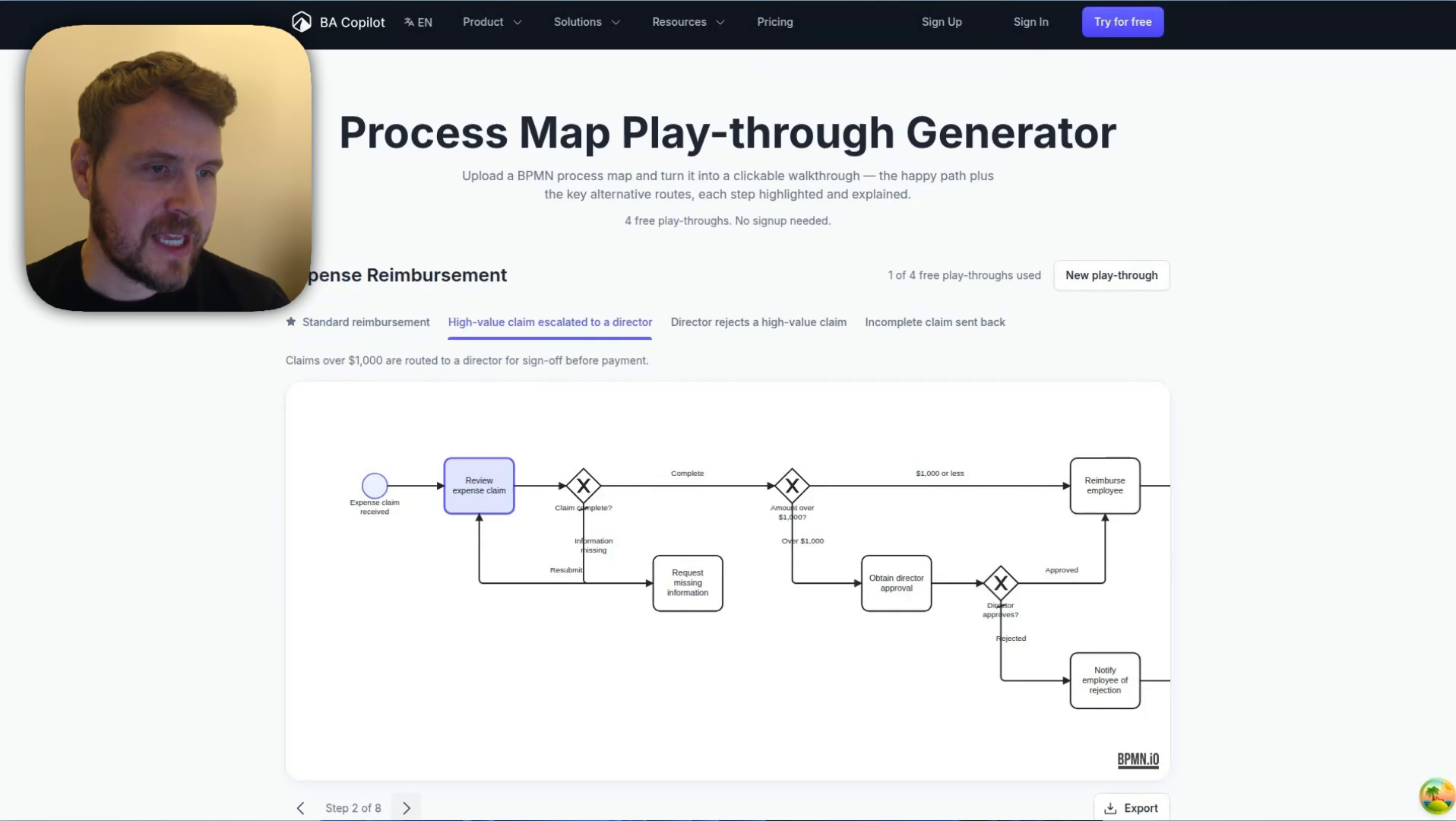
Create a play-through
- Open the Process Map Play-through Generator.
- Upload a BPMN file, or use the sample diagram if you want to test the workflow first.
- Wait for BA Copilot to identify the process routes.
- Open each route tab to step through the highlighted path.
- Use the explanation beside the map to walk stakeholders through what happens at each step.
When to use it
- When stakeholders need to understand a process without reading the whole diagram at once.
- When a BPMN file has multiple routes, decisions, or exception paths.
- When you want a clearer review walkthrough before a workshop or handover.
Tips
- Use a clean BPMN file with clear task and gateway labels.
- Review each generated route before sharing it with stakeholders.
- If the play-through misses a path, simplify or relabel the BPMN file and try again.
Open the Process Map Play-through Generator
Watch the process play-through demo
Watch a short demo of turning a BPMN file into a clickable process play-through.