
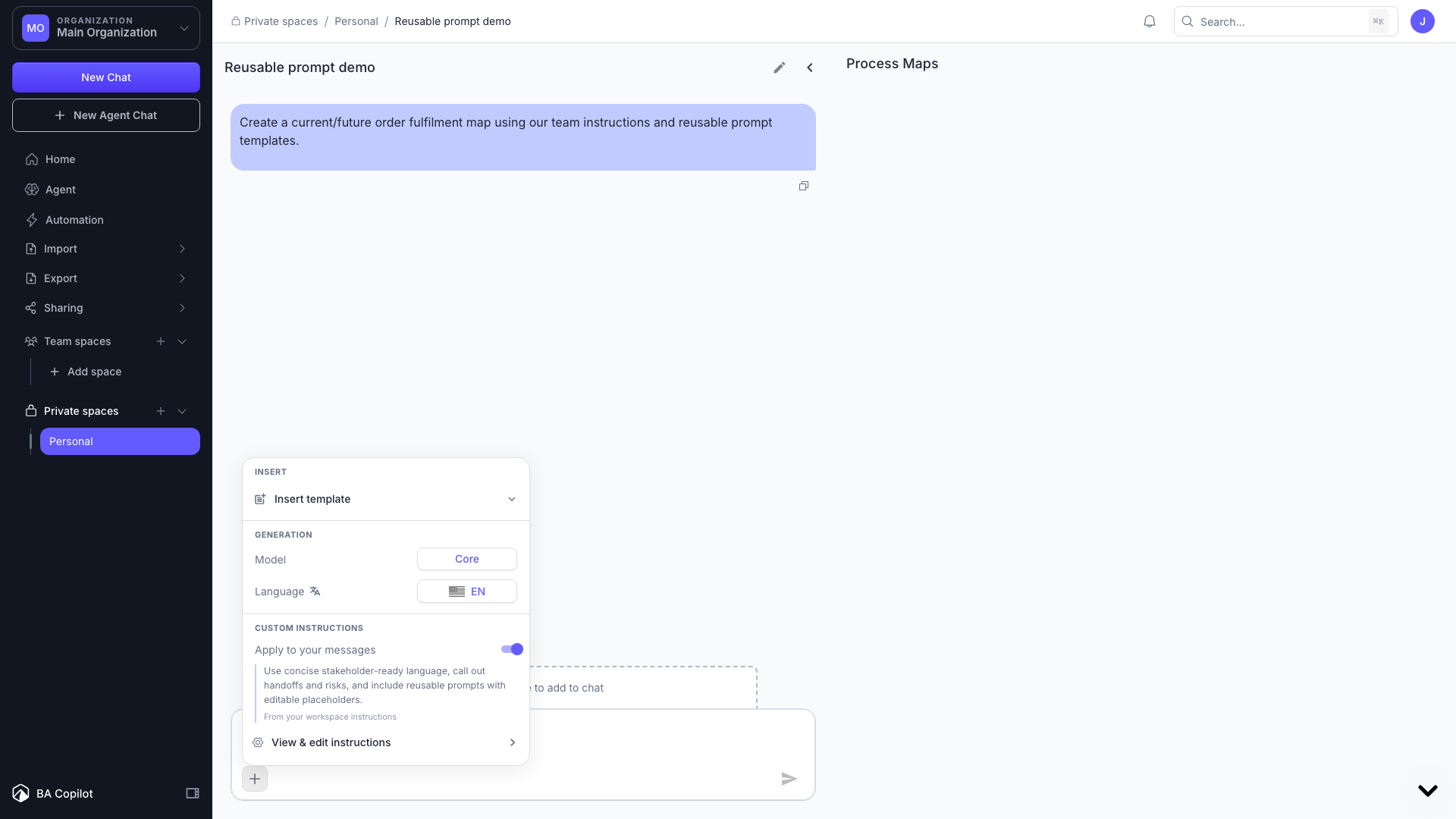
Custom instructions and prompt templates let you shape the BA Copilot assistant around your terminology, standards, and recurring workflows.
Custom instructions
- Open Settings and go to Custom instructions.
- Add organization-level guidance, and optionally workspace-specific guidance. Workspace instructions take precedence in that workspace.
- In the chat composer, use the + tools menu to preview instructions or switch them off for a single message.
Prompt templates
- Open Settings and go to Prompt templates.
- Create a reusable template with placeholder fields.
- Insert it from the + tools menu or by typing / in the chat composer. Placeholders are highlighted so you can fill them in quickly.
Creating custom instructions and saved templates requires a Pro plan. Built-in starter templates remain available on all plans.
To set it up, open settings and click 'prompt templates' or 'custom instructions'.